
VEYRA · A MACOS COMPANION FOR CODEX
Codex, at a glance.
Your remaining quota and running tasks, quietly in the menu bar. Open the details when you need them. Stay with your work when you don’t.
macOS 14+ · Apple Silicon & Intel

01 / LOCAL TASKS
Know what’s running. Keep the context.
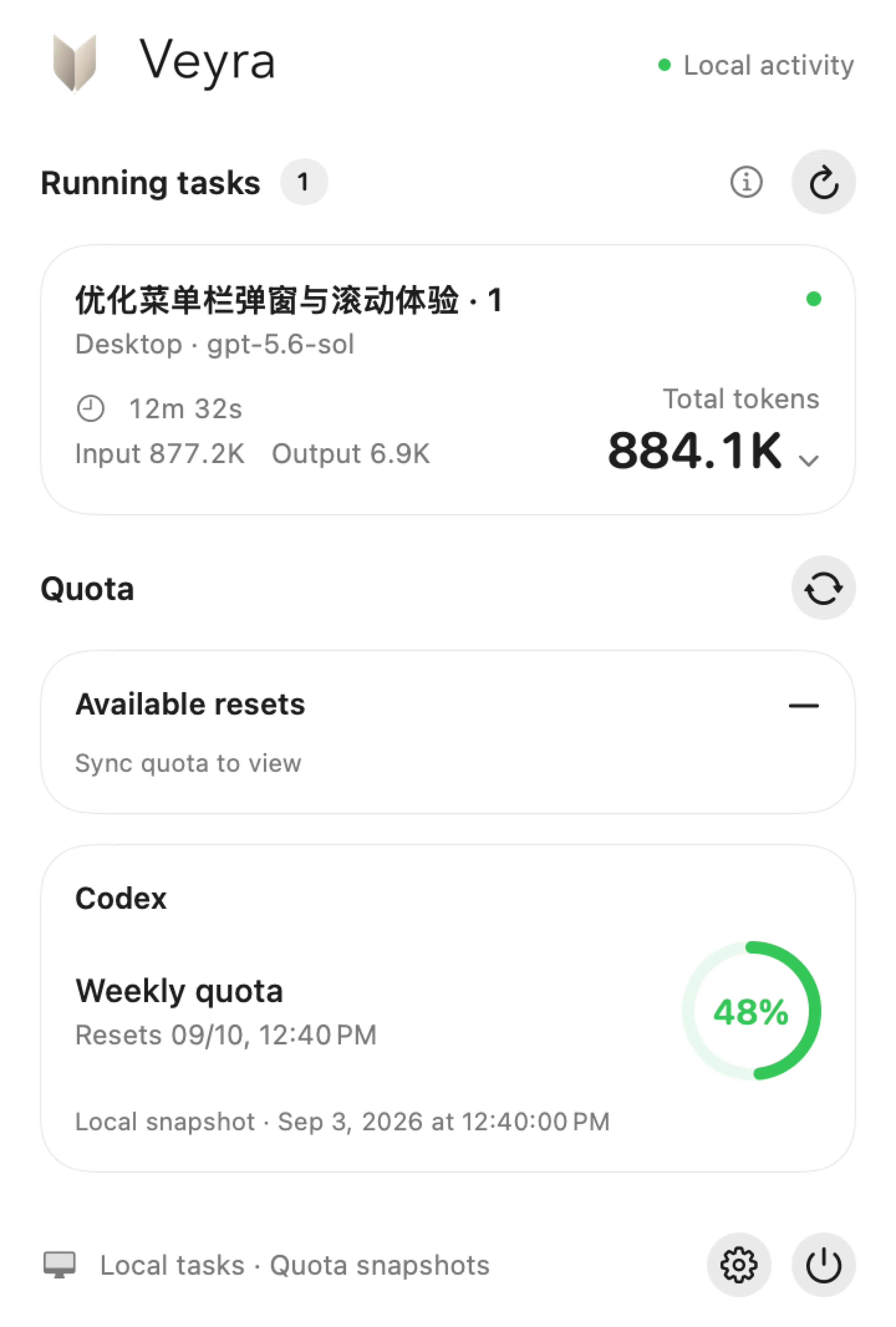
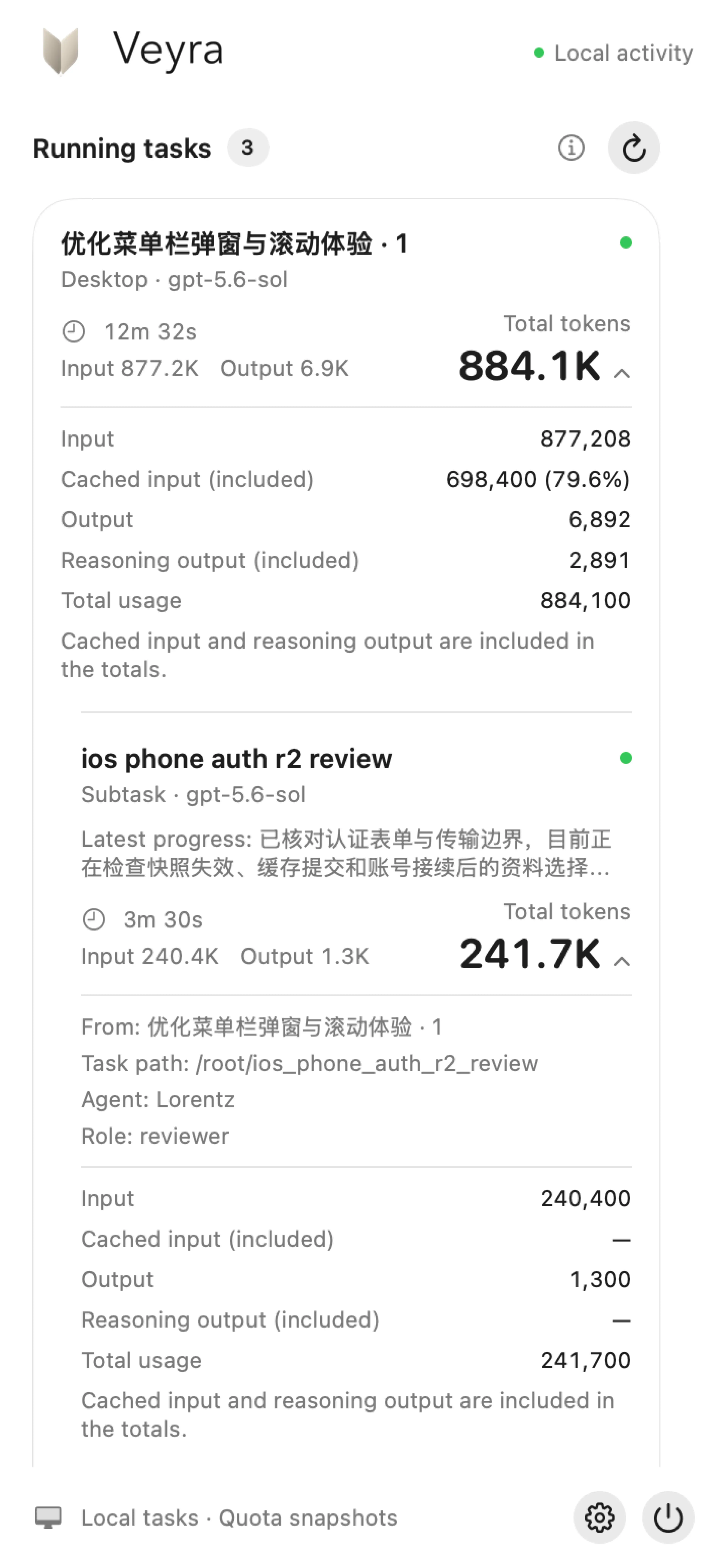
See the work happening on your Mac, with parent tasks and their subtasks kept together.
- Progress, without switching windows
- Check each task’s status, model, elapsed time and latest public progress from one compact panel.
- Usage, with the detail you need
- Expand total tokens to inspect input, output, cached input and reasoning output. Task totals include completed turns.
- Clear about uncertainty
- Only tasks with enough local evidence count as running. Unconfirmed states are shown separately.
02 / QUOTA
See what’s left. Know when it resets.
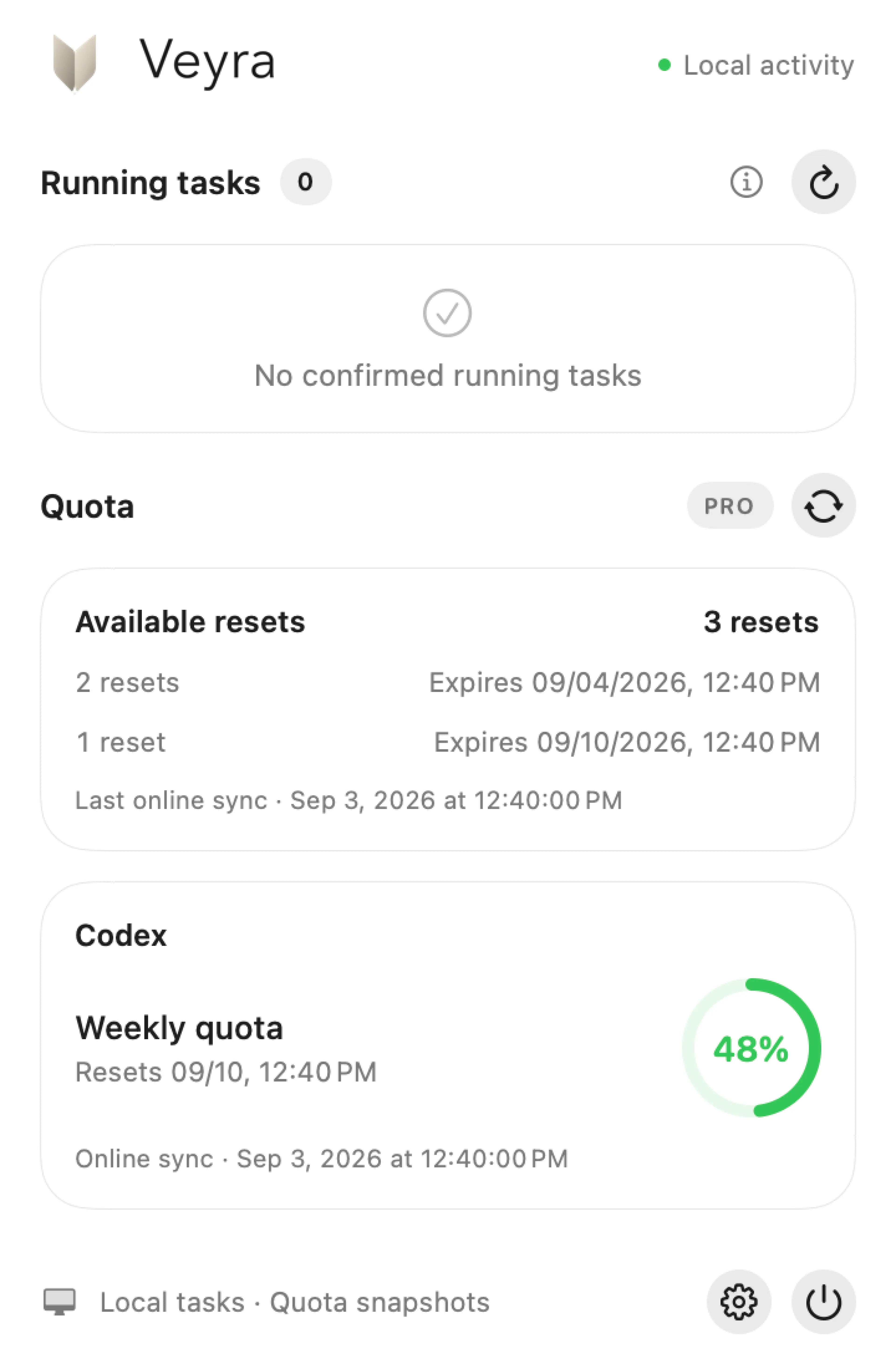
Quota windows, remaining percentages and reset times sit together, with a clear source and timestamp.
- Local by default
- Veyra reads the latest local snapshot. A ~ in the menu bar marks that source; the number is not a live account balance.
- Sync when you choose
- Manually sync through your existing Codex sign-in to check account quotas and available reset credits. No API key to enter.
- Reset credits, in view
- See available credits grouped by expiry. Veyra displays them; it does not redeem credits or reset quotas.
03 / YOUR SETUP
A shortcut away. Set up your way.
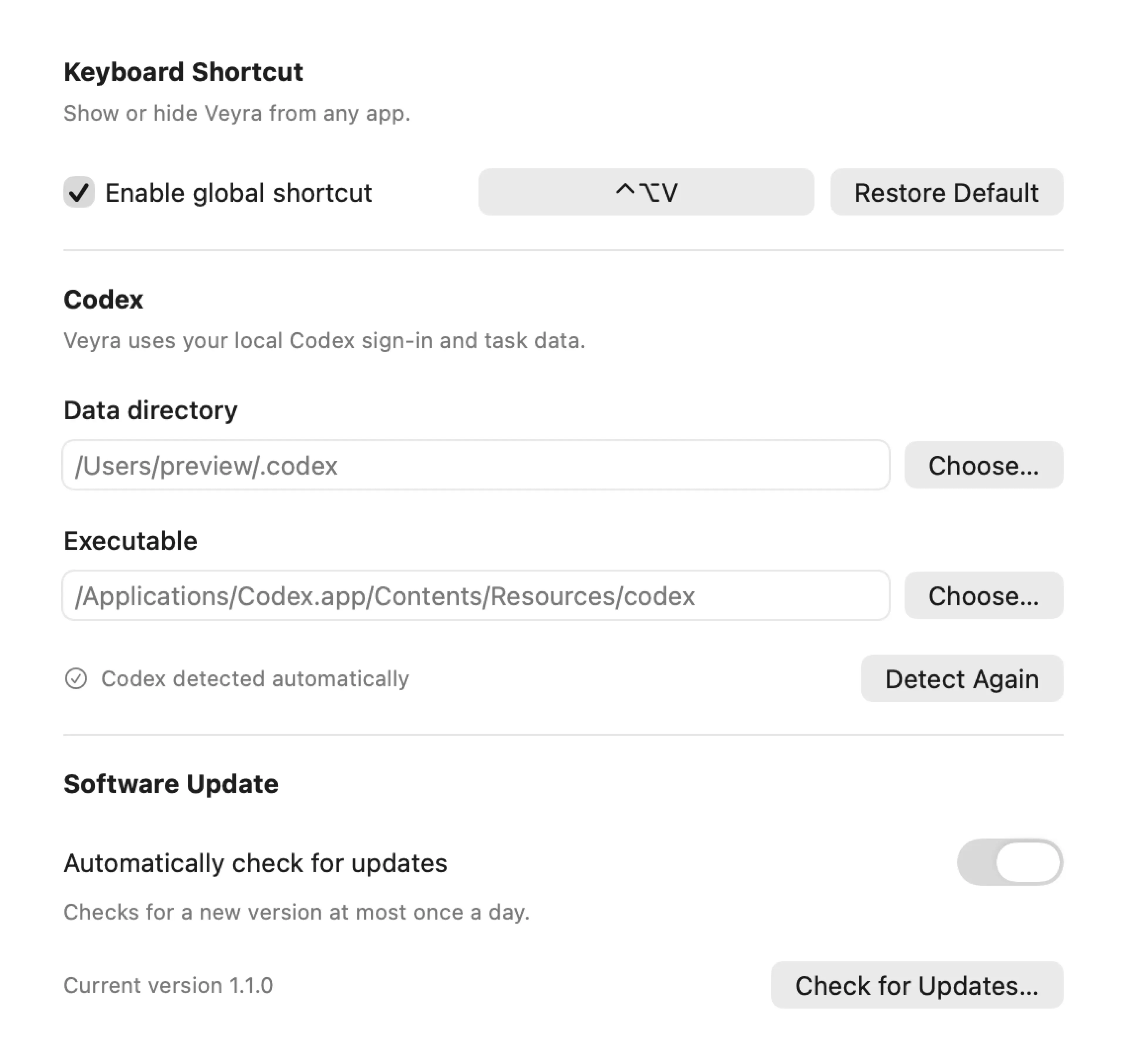
Open or hide the panel from any app. Change the shortcut, use your preferred Codex installation, and choose when to check for updates.
- Finds Codex automatically
- Already signed in to Codex desktop or the CLI? Veyra uses that local setup. You can also select a data directory and executable; valid path changes apply automatically.
- Updates stay in your hands
- Optional update checks query public GitHub Releases at most once a day. A new version opens in your browser for you to download and install.
A companion, with clear boundaries.
- Read-only monitoring
- Veyra does not create or control tasks, trigger model requests, copy credentials, or modify Codex databases and sessions.
- Your Mac, your data
- Task monitoring is limited to the selected local Codex directory. It does not include other devices or cloud tasks. Monitoring results stay in memory.
- Explicit network activity
- Quota calibration happens only on request. Software update checks contact GitHub and can be disabled in Settings.
Make room for your work.
A native macOS app for people already using Codex. No separate account to create.
Download for macOSmacOS 14+ · Apple Silicon & Intel
Have Codex ready
Install and sign in to Codex desktop or the Codex CLI on a Mac running macOS 14 or later.
Move Veyra to Applications
Download the ZIP from GitHub Releases, unzip it, and move Veyra.app to Applications.
Look in the menu bar
Launch Veyra and click its menu bar item. There’s no Dock icon. To update, quit Veyra before replacing the app.